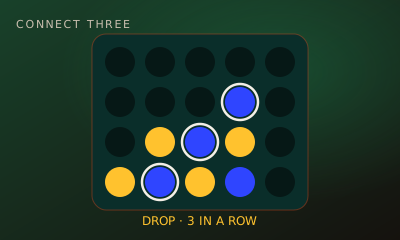
Want a Connect 4 2 player game you can start in seconds? Connect Four on My MP Games is the classic drop-disc duel in your browser: take turns dropping discs into a 7-column grid and be the first to line up four in a row. Play a friend online with a room code, share one phone or laptop, or take on the computer. It is free, works on desktop, tablet and mobile, and needs no download, no app and no account.
How to Play Connect 4 Online
- Choose a mode. Press Create room to play a friend online, Local vs to share one device, or Play vs Computer for an instant solo game.
- Drop a disc. On your turn, pick a column using the arrow button above it. Your disc falls to the lowest empty slot in that column.
- Take turns. Players alternate one disc at a time. The header shows whose turn it is, and the Moves list records every column played.
- Connect four. The first player to get four of their own discs in a straight line wins.
- Play again. When the match is over, press Rematch and go straight into the next game.
Connect Four Rules
The board
The grid has seven columns and six rows, 42 slots in total. Discs always stack from the bottom up, so you can only ever play the lowest free slot of a column.
Winning lines
A line of four counts horizontally, vertically or diagonally, in either diagonal direction. Diagonals are the lines beginners miss most often, so check both ways before every move.
Full columns and draws
A full column cannot be chosen. If all 42 slots are filled and nobody has four in a row, the game is a draw.
Game Modes: Online, Local and vs Computer
Online with friends (room code)
Press Create room and send your friend the five-character room code or the copied invite link. They enter the code under Join room or open the link, both of you press Ready and the host starts the match. Each player uses their own phone, tablet or computer. The host can lock the room, auto-approve joiners and make it public or private, spectators can watch, and the lobby has a room chat.
Challenge online players
Open the live arena, see who is free right now and send a duel invite. No login is needed.
Local vs on one device
This is Connect 4 for two people sitting together: one screen, turns passed back and forth. It is ideal for a sofa, a classroom or a long journey, and the second player does not need their own device.
Play vs Computer
No one around? Play vs Computer gives you an opponent that answers your move straight away. Use it to learn the rules, practise openings or test a trap before you try it on a friend.
Controls for Touch, Mouse and Keyboard
- Touch: tap the ▼ button above a column to drop your disc there. The board fits a phone screen in portrait, so you do not need to scroll during a game.
- Mouse: click the ▼ button above the column you want.
- Keyboard: press Tab to move between the seven column buttons and Enter to drop a disc in the highlighted column.
- In Local vs, both players use the same buttons on the same screen; just take turns.
Tips and Strategy to Win at Connect Four
- Start in the centre. The middle column is part of more possible lines of four than any other column, so discs there do the most work.
- Block threes at once. If your opponent has three in a line with an open slot that can be filled now, block it before you do anything else.
- Look before you fill. Never drop a disc directly under a slot your opponent needs. That simply gives them the square on the next turn.
- Build double threats. Two open threes at the same time cannot both be blocked with one disc. This is how most games are won.
- Use odd and even rows. Counting from the bottom, a threat on an odd row (1, 3, 5) usually favours the player who moved first, and a threat on an even row (2, 4, 6) favours the second player. Late in the game, these threats decide who is forced to give way.
- Playing second? Answer a centre opening in the centre column, block early diagonals and aim to set up even-row threats. You need patience, because the first player starts with a small edge.
History of Connect Four and Popular Variants
Connect Four was designed by Howard Wexler and Ned Strongin and was first sold by Milton Bradley in 1974. It is now a Hasbro classic. The game looks simple, but it has been studied by mathematicians and computer scientists for decades. In 1988 James Dow Allen and Victor Allis independently solved the standard 7×6 board. They showed that the first player can always win with perfect play by starting in the centre column. That is why opening choices matter so much, even in casual games.
Over the years, many versions have appeared: Giant Connect 4 for gardens and parties, Pop Out (where you can remove a disc from the bottom row), five-in-a-row editions and travel sets. These variants come from boxed and outdoor sets. The online game on My MP Games uses the classic rules described above: a 7×6 grid, gravity drops, four in a row to win and a draw when the board is full. If you enjoy Connect Four, try Gomoku, which plays like five in a row without gravity, or the other free 2 player games below. My MP Games has 50+ free multiplayer games, all playable in the browser.

Connect 4 2 Player FAQ
Can you play Connect 4 online with friends?
Yes. Press Create room and share the five-character room code or invite link. Your friend enters the code under Join room or opens the link, you both press Ready and the host starts the match. You can also challenge players who are free in the live arena.
Can you play Connect 4 2 player on the same device?
Yes. Choose Local vs and two players take turns on one phone, tablet or computer. Nobody needs an account or a second screen.
Can you play Connect 4 by yourself?
Yes. Press Play vs Computer for an instant solo game. The computer replies to each move straight away, which makes it a good way to practise.
Is Connect 4 free to play online?
Yes. Connect Four on My MP Games is free and runs in your browser on desktop, tablet and mobile. There is nothing to download and no sign-up.
Do diagonals count in Connect 4?
Yes. Four discs in a row count horizontally, vertically or diagonally in either direction.
Is Connect 4 a solved game?
Yes. In 1988 James Dow Allen and Victor Allis independently showed that, on the standard 7×6 board, the first player can always win with perfect play by starting in the centre column.
How do you win Connect 4 as player 2?
Block early threats, take central columns when you can and aim for threats on even rows (2, 4 and 6 from the bottom), which tend to favour the second player late in the game. Against a perfect first player you cannot force a win, but most opponents are not perfect.
Can you play Connect 4 with 3 players?
The classic game is for two players. On My MP Games each match has two players, but other people can join a room as spectators and watch.
More Free 2 Player Games
Connect Four is one of 67 free games on My MP Games. Try these related board games next: