
FIELD MANUAL
How to Play Gomoku Online
Gomoku online: place stones on any empty point and be first to line up five in a row. Play Gomoku, or try the quicker gravity game Connect Three.
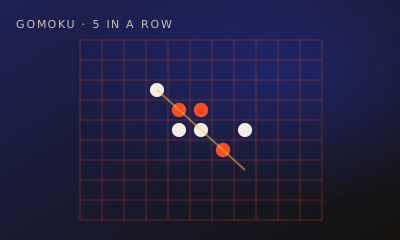
Gomoku is a connect-style duel on a 15×15 board. Place marks on empty cells — first to line up 5 wins.
01 // CONTROLS
Controls
- Click an empty cell to place your mark
- Turns alternate after each valid place
02 // STEPS
Step by step
- 01
Open the game
From the arena roster, open this game’s play page.
- 02
Create or join a room
Host creates a room and shares the code. The second player joins with that code.
- 03
Both hit Ready
When two players lock in, the match starts instantly — no accounts needed.
- 04
Place on empty cells
On your turn, click any empty square on the 15×15 board.
- 05
Build a line of 5
Connect 5 marks horizontally, vertically, or diagonally to win.
- 06
Block threats
If your opponent threatens 4 in a row with an open end, block immediately.
- 07
Full board draw
If the board fills with no winner, the match is a draw.
03 // EDGE
Pro tips
- Control the center early.
- Count open lines that can still reach 5.
04 // FAQ
Gomoku FAQ
Is Gomoku free to play in the browser?
Yes. Gomoku on My MP Games is free HTML5 — no download, no account, and no paywall.
Can I play Gomoku vs the computer?
Open the play page and choose Play vs Computer. You can also play Local vs on one device or share a room code with a friend.
Where are the Gomoku rules?
Gomoku is a connect-style duel on a 15×15 board. Place marks on empty cells — first to line up 5 wins.