
FIELD MANUAL
How to Play Dots & Boxes Online
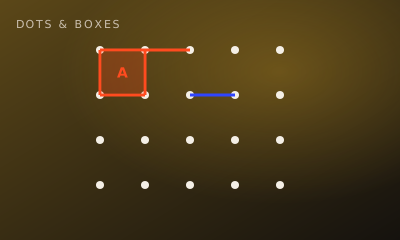
Claim lines between dots. Complete the fourth side of a box to own it — most boxes wins.
01 // CONTROLS
Controls
- Click an edge between two dots to claim that line
- Closing a box scores it for you
02 // STEPS
Step by step
- 01
Claim a line
On your turn, click any unclaimed edge on the dotted grid.
- 02
Avoid early gifts
Don’t leave a box with three sides filled unless you can take it yourself.
- 03
Close boxes
When you draw the fourth side of a square, you own that box and typically play again.
- 04
Chain captures
Long endgame chains can flip the score — plan the sacrifice.
- 05
Most boxes wins
When every line is claimed, the player with more boxes wins.
03 // EDGE
Pro tips
- Mid-game is about not opening long chains for your opponent.
- Count boxes before you force the endgame.
04 // FAQ
Dots & Boxes FAQ
Is Dots & Boxes free to play in the browser?
Yes. Dots & Boxes on My MP Games is free HTML5 — no download, no account, and no paywall.
Can I play Dots & Boxes vs the computer?
Open the play page and choose Play vs Computer. You can also play Local vs on one device or share a room code with a friend.
Where are the Dots & Boxes rules?
Claim lines between dots. Complete the fourth side of a box to own it — most boxes wins.