
FIELD MANUAL
How to Play Reversi Online
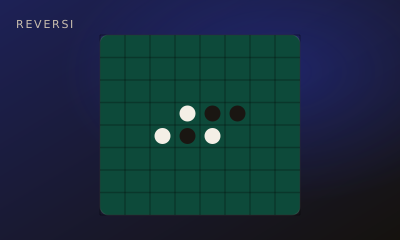
Flank and flip. Place a disc that traps enemy discs in a straight line between two of yours — they all flip to your color. Majority wins.
01 // CONTROLS
Controls
- Click a highlighted legal cell to place your disc
- All flanked enemy discs flip
02 // STEPS
Step by step
- 01
Start from the center
The classic opening has four discs in the middle — two each.
- 02
Place a flanking move
You may only play where at least one enemy run is sandwiched between your new disc and another of yours.
- 03
Flip the line
Every trapped enemy disc on that line flips to your color.
- 04
Fight for corners
Corners can’t be flipped — they’re the strongest squares on the board.
- 05
Majority rules
When neither player can move, the higher disc count wins.
03 // EDGE
Pro tips
- Don’t grab edges too early — they can be turned against you.
- Quiet moves that limit opponent options beat greedy flips.
04 // FAQ
Reversi FAQ
Is Reversi free to play in the browser?
Yes. Reversi on My MP Games is free HTML5 — no download, no account, and no paywall.
Can I play Reversi vs the computer?
Open the play page and choose Play vs Computer. You can also play Local vs on one device or share a room code with a friend.
Where are the Reversi rules?
Flank and flip. Place a disc that traps enemy discs in a straight line between two of yours — they all flip to your color. Majority wins.