
FIELD MANUAL
How to Play Battleship Online
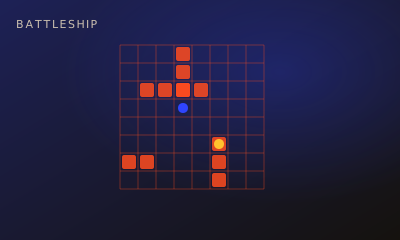
Naval hunt on two 10×10 grids. Auto-place hides a fleet of five ships, then you fire at the enemy grid. A hit lets you shoot again; a miss passes the turn. Sink every opposing ship to win.
01 // CONTROLS
Controls
- Press Auto-place fleet. That is the only setup control — ships cannot be dragged or rotated.
- Click or tap an empty cell on the grid labelled Fire here. Your waters and the enemy grid stay on screen together; there are no Fleet or Enemy tabs.
- Keyboard: Tab to a cell, then Enter or Space fires it. Arrow keys, R, and right-click do not move or rotate a ship.
02 // STEPS
Step by step
- 01
Open a room or start solo
Create a room and share the five-character code, choose Local vs on one device, or press Play vs Computer. No account is required.
- 02
Auto-place both fleets
Press Auto-place fleet. The game lays down a random legal fleet: carrier (5), battleship (4), cruiser (3), submarine (3) and destroyer (2), horizontal or vertical, with no overlaps. The battle starts when both fleets are placed. The host fires first online; against the computer, you fire first.
- 03
Fire on their grid
On your turn, click or tap one empty cell under Fire here. During setup that grid reads Enemy waters (locked) and does not accept shots.
- 04
Hit again, or pass on a miss
A hit keeps your turn, so you fire again. A miss passes the turn. Hits and misses stay marked on both boards.
- 05
Sink them all
A ship sinks when every one of its cells has been hit. The first player to sink the whole enemy fleet wins.
03 // EDGE
Pro tips
- Search a checkerboard. The smallest ship covers two cells, so shooting every other cell finds every ship.
- After a hit, test the four neighbouring cells, then follow that line. The bonus shot lets you finish a ship before the turn ends.
- You do not choose your own layout. Auto-place is random, so the decisions are all in the search.
04 // FAQ
Battleship FAQ
Can I place or rotate the ships myself?
No. Auto-place fleet is the only setup control. R, the arrow keys, right-click and touch do not rotate a ship.
Do I get another shot after a hit?
Yes. You keep firing while you hit. The turn passes only after a miss.
Is Battleship free to play in the browser?
Yes. Battleship on My MP Games is free HTML5 — no download, no account, and no paywall.
Can I play Battleship vs the computer?
Open the play page and choose Play vs Computer. You can also play Local vs on one device or share a room code with a friend.
Where are the Battleship rules?
Naval hunt on two 10×10 grids. Auto-place hides a fleet of five ships, then you fire at the enemy grid. A hit lets you shoot again; a miss passes the turn. Sink every opposing ship to win.