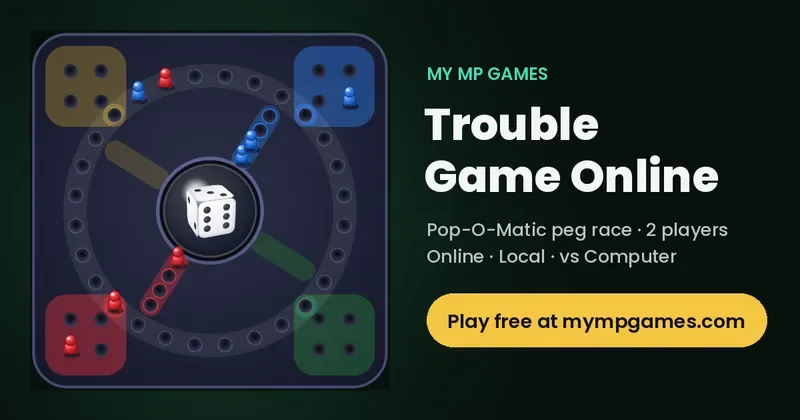
Looking for a Trouble game online that you can play right now, free, with a friend or against the computer? Trouble on My MP Games is the classic Pop-O-Matic peg race in your browser: pop the die, bring your four pegs out of home, race them around the board and bump your rival back to the start. Create a room and share the code, pass one phone or laptop back and forth, or practise solo. It runs on desktop, tablet and mobile with no download, no app and no account.
How to Play the Trouble Game Online
- Pick a mode. Choose Create room to play a friend online, Local vs to share one device, or Play vs Computer for an instant solo game.
- Pop the die. On your turn, tap the dome or press Pop the die. The die is rolled by the server, so neither player can influence it.
- Pop a 6 to get out. Your four pegs start in your home zone. Only a 6 moves a peg out onto your start hole.
- Move one peg. Move a single peg forward by the number you popped. If more than one peg can move, the movable pegs glow and you pick one.
- Bump your rival. Land exactly on an opponent's peg and it goes back to their home zone.
- Bring them home. After a full lap, pegs enter your four finish holes. The first player with all four pegs in the finish wins.
Trouble Rules
Getting out of home
You need a 6 to move a peg from home onto your start hole. Popping a 6 also gives you another turn, so a 6 can bring out a peg and then let you move again.
Moving and capturing
You always move one peg by the full number popped. Landing exactly on a rival peg sends it home, and that player has to pop another 6 to bring it back. You cannot land on your own peg, so that move is not allowed. Pegs in your finish holes are safe from capture.
Finishing
Your pegs turn into the finish lane after one full lap. You need an exact count to move into a finish hole; a number that would take a peg past the last finish hole cannot be used by that peg. If no peg can use the number you popped, your turn passes. The first player to fill all four finish holes wins the match, and Rematch starts a new one.
Game Modes: Online, Local and vs Computer
Online with friends (room code)
Press Create room and send the room code or the copied invite link. Your friend types the code under Join room or opens the link, both players press Ready, and the host starts the match. Rooms can be public or private, the host can lock the room or auto-approve joiners, spectators can watch, and the lobby has room chat plus optional mic and camera.
Challenge online players
Open the live arena, see who is free right now and send a challenge. No login is needed.
Local vs on one device
This is the 2 player Trouble game for the sofa, a classroom or a long trip: two people share one phone, tablet or computer and take turns popping the die.
Play vs Computer
No one around? Play vs Computer gives you an opponent that pops and moves straight away, which is perfect for learning the rules or a quick five-minute game.
Controls for Touch, Mouse and Keyboard
- Touch: tap the dome, or the Pop the die button, on your turn. When several pegs can move, tap the glowing peg you want.
- Mouse: click the dome or the button, then click a glowing peg.
- Keyboard: press Tab to reach the dome or the Pop the die button and press Enter or Space to pop, then Tab to a glowing peg and press Enter or Space to move it.
- In Local vs, players take turns on the same screen; the header always shows whose turn it is.
Tips and Strategy to Win at Trouble
- Get pegs out early. Use a 6 to bring out a new peg whenever you can. More pegs on the board means more choices on every pop.
- Stay out of striking range. A rival peg one to six holes behind you can bump you on the next pop. Where you have a choice, stop just behind a rival or more than six holes ahead of it.
- Take the capture. Sending a peg home costs your opponent a whole lap and a 6 to restart. A capture is usually worth more than a few holes of progress.
- Do not crowd your own pegs. Because you cannot land on your own peg, pegs bunched together block each other. Spread them out.
- Plan the exact finish. Near the end, move pegs so that more numbers can finish them, instead of leaving one peg needing a single exact number.
- Use your bonus pop. After a 6 you pop again, so think about both moves together.
History of Trouble and Pop-O-Matic Variants
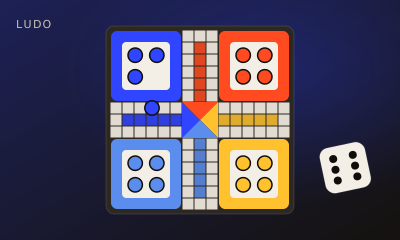
Trouble is part of the cross-and-circle family of race games, which goes back to the Indian game Pachisi and its simpler descendants Ludo and Parcheesi. The American version with the Pop-O-Matic, a plastic bubble that holds the die and rolls it when you press it, came out in the mid-1960s and later became a Hasbro classic. The bubble made the game fast, fair and impossible to lose a die under the sofa. In the UK the same game is sold as Frustration.
Over the years, boxed editions added extra spaces such as Double Trouble holes, which give another turn, and Warp holes, which jump a peg across the board. Many families also play house rules, such as allowing a 1 to bring a peg out. The online game on My MP Games uses the classic rules described above: 6 to get out, a bonus pop on a 6, capture by exact landing and an exact count to finish. If you like Trouble, try Ludo online with friends, which is the closest relative, or the other free board games below.
Trouble Game Online FAQ
Can you play the Trouble game online for free?
Yes. Trouble on My MP Games is free and runs in your browser on desktop, tablet and phone. There is nothing to download and you do not need an account; open the page and press Create room, Local vs or Play vs Computer.
Can you play Trouble online with friends?
Yes. Press Create room and share the room code or invite link. Your friend enters the code under Join room, you both press Ready and the host starts the match. You can also challenge players who are online in the live arena.
Can you play Trouble with 2 players?
Yes. The boxed game is for 2 to 4 players, and the online version here is built for 2: play a friend online, share one device in Local vs, or play against the computer.
What number do you need to get out in Trouble?
You need a 6 to move a peg out of home onto your start hole. A 6 also gives you another pop, so you can move again straight away.
What happens when you land on another player in Trouble?
If your peg lands exactly on a rival peg, the rival peg goes back to its home zone and needs another 6 to come out. You cannot land on your own peg.
Is Trouble the same as Sorry or Ludo?
They are related but not the same. Trouble and Ludo both come from the Pachisi family of race games and both use a die, while Sorry uses cards. Trouble is known for its Pop-O-Matic die bubble and a shorter track than Ludo.
What is the Trouble board game called in the UK?
In the UK the same Pop-O-Matic race game is sold as Frustration.
More Free 2 Player Games
Trouble is one of 67 free games on My MP Games. Try these related board games next: