
FIELD MANUAL
How to Play Connect Three Online
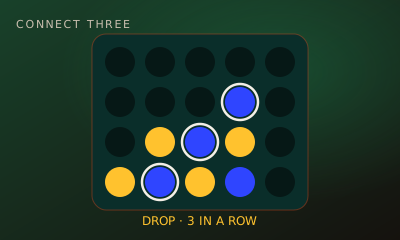
Connect Three is a quick gravity game: drop discs into the columns and be the first to line up three in a row, across, down or diagonally.
01 // CONTROLS
Controls
- Tap or click a column
- Number keys 1–7 drop into that column
02 // STEPS
Step by step
- 01
Open the game
From the arena roster, open this game’s play page.
- 02
Create or join a room
Host creates a room and shares the code. The second player joins with that code.
- 03
Both hit Ready
When two players lock in, the match starts instantly — no accounts needed.
- 04
Pick a board
The classic board has 5 columns and 4 rows. Bigger 6 × 5 and 7 × 6 boards give longer games.
- 05
Drop a disc
On your turn, choose a column. Your disc falls to the lowest empty space.
- 06
Make three in a row
Line up three of your discs across, down or diagonally to win.
- 07
Block your rival
Watch for two of their discs with an open space next to them, and fill it before they do.
03 // EDGE
Pro tips
- Start in the centre column: it is part of the most lines.
- Look for a move that makes two threats at once.
- Before you drop, check you are not giving your rival the space above.
04 // FAQ
Connect Three FAQ
Is Connect Three free to play in the browser?
Yes. Connect Three on My MP Games is free HTML5 — no download, no account, and no paywall.
Can I play Connect Three vs the computer?
Open the play page and choose Play vs Computer. You can also play Local vs on one device or share a room code with a friend.
Where are the Connect Three rules?
Connect Three is a quick gravity game: drop discs into the columns and be the first to line up three in a row, across, down or diagonally.