Play carrom board game online in seconds
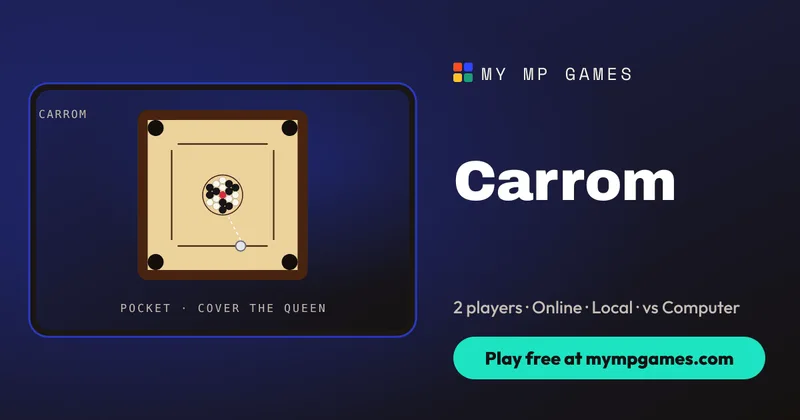
Play the carrom board game online for free, right in your browser. Create a room, send the five-character room code, and you are both flicking the striker within seconds. There is nothing to download, you do not need an account, and it works the same on a phone, tablet or computer. If nobody is around, play against the computer at Easy, Medium or Hard, or pass one device between two players. It is the classic South Asian finger-flick board — nine white coins, nine black coins and the red queen — rebuilt with real physics, and one of 50+ free multiplayer games on My MP Games.
How to play the carrom board game online
The board is a square with four corner pockets. Coins start packed in the centre circle. You own one colour. Each turn you place the striker on your baseline, aim across the board, set power and release. Pocket one of your own coins and you shoot again. Miss, or pocket only an opponent coin, and the turn passes.
White shoots first, from the baseline opposite Black. You can line the striker up for as long as you like, because nothing moves until you release the shot. The note under the board tells you when a coin of your colour dropped and you shoot again.
Placing the striker and aiming
Use the Striker slider under the board (or drag the striker along your baseline) to set position — placing never shoots. Then drag on the board to aim. Fine-tune with the dial or the ⟲ ⟳ buttons. A dashed guide shows where the striker will meet the first coin and which way that coin will travel.
If the spot you want already has a coin on it, the shot is refused until you pick a clear gap. The ⟲ and ⟳ buttons turn the aim anticlockwise and clockwise, and a short tap moves it a fraction of a degree.
Power, cushions and the break
Pull the power control back and let go to shoot, or slide it back to zero to cancel. The control is labelled Pull ⟶, and the drag runs to the right. Coins slide with friction, bounce off the cushions and knock into each other with real momentum. The heavier striker scatters the pack on a break and slows down on a gentle cut. Online, every stroke is simulated on the server so both players and every spectator see the exact same motion.
A very light release does not fire. Sliding back to the start cancels the stroke, and the board tells you the shot was cancelled so you can set the angle again. A firm break from the middle of the baseline spreads the pack.
Carrom board game rules
- Each player (or side) owns nine coins of one colour. The red queen sits in the centre of the pack.
- Pocket one of your own coins and you keep the turn. Pocket only an opponent coin and they keep it; the turn passes.
- Pocketing the striker is a foul: one of your pocketed coins returns to the centre (or the penalty is owed until you pocket your next coin), and the turn passes.
- The queen may be pocketed at any time, but you must cover her by pocketing one of your own coins on the same stroke or the next one — otherwise she returns to the centre.
- Sinking your last coin before the queen is covered is a foul. Pocketing your opponent’s last coin while she is still uncovered is a foul too, and those coins go back.
- You win when all nine of your coins are pocketed and the queen is covered.
Covering the queen is a two-stroke promise. If she drops on the same stroke as one of your own coins, she is covered at once and stays down. If she drops alone, she is waiting: the next stroke has to pocket one of your coins, and the striker has to stay on the board. Miss that follow-up, foul, or pocket only the other colour, and she is put back in the centre. The queen chip above the board reads On board, Cover it! or Covered, and each player’s chip counts pocketed coins out of 9.
A striker that falls in is stricter than a simple miss. Any of your coins that went in on that same stroke come back out, and the queen comes back too if she fell on the foul and was not already covered. On top of that, one coin you pocketed earlier returns to the centre. If you have none to give back, the penalty is owed and is paid from the next coin you pocket. The turn passes either way. The same return happens when a ninth coin drops before the queen is covered, whether that coin is yours or your opponent’s.
Keyboard and touch controls
- Mouse/desktop: drag the striker along the baseline, drag on the board to aim, use the dial or ⟲ ⟳ to fine-tune, pull the power control and release to shoot.
- Keyboard: with the board focused, ← and → slide the striker along the baseline, and Shift takes a longer step. [ and ] or , and . turn the aim, and Shift turns it by about two degrees. ↑ and ↓ set the power. Space or Enter shoots, and Escape clears a power setting you have not released. The on-screen Striker slider, dial and power control do the same jobs. On the power control itself, → adds power and ← takes it off.
- Touch: slide the striker with a finger, drag to aim, pull power and release. The same board works in portrait or landscape on phones and tablets.
Local vs does not split the keyboard and it does not use a joystick. One player shoots, then the other. In a local match the line under the board starts with the name of whoever is about to shoot, so you know when to pass the phone, the tablet or the laptop. Online, each person uses their own screen. A spectator watches the same stroke, because the server runs the coins and every browser replays those numbers.
Game modes
Online with a friend (room code)
Choose Create room and share the five-character code or invite link through WhatsApp, Discord or text. Your friend taps Join room, both of you press Ready, and the host starts. Phones and computers can play each other. You can lock the room, auto-approve joiners, or open a public spectate listing.
The host presses Start match once both seats are ready. If auto-approve is off, the host lets the friend into the open seat first. Lock room stops further people from joining. The spectate listing can stay Public, so the match appears for anyone who wants to watch, or Private, so only people with the link can find it. Spectators see the coins move and can use the room chat, and they cannot take a shot.
Local 2 player on one device
Choose Local vs to share one phone, tablet or laptop. Pass the device so each player takes their own turn on the same board. The status line names the player who is about to shoot. There is one shared set of keys and one set of touch controls, not a split keyboard or a pair of joysticks.
Carrom vs computer
Choose Play vs Computer and pick Easy, Medium or Hard. The AI aims with the same physics engine you use, so it is fair practice before you challenge friends.
The choice sits under Computer level in the game options, and Medium is the default. Easy leaves more error in the angle and the strength. Medium picks cleaner cuts. Hard checks more candidate shots with the same physics the table uses, so a straight coin near a pocket is much harder to keep. The computer sits in the opposite seat, waits its turn, and follows the same foul and cover rules you do. It does not get a private board.
Tips to win at carrom
- Clear a lane before you get greedy. Pocket an easy edge coin first so later cuts have a clean path to the pocket.
- Cover the queen on purpose. Do not pocket her until you have a follow-up coin lined up on the same or next stroke.
- Use soft power for cuts. Hard breaks scatter everything; soft cuts keep your coins near the cushions you want.
- Watch the striker foul. A striker that follows a coin into the pocket costs you a coin — aim so the striker stops short.
- Leave opponent coins awkward. A coin sitting on their baseline or blocking their favourite pocket is often better than pocketing it for them by accident.
History and variants of carrom
Carrom (also spelled karom or carum) grew across the Indian subcontinent as a family table game — often described as billiards without a cue. Standard international rules use a square wooden board, four pockets, nineteen discs (nine per colour plus the queen) and a heavier striker flicked with the finger. Popular variants include Points (every pocketed coin scores), Team / 2 v 2 with partners opposite, and freestyle boards that drop the queen-cover rule. The My MP Games version keeps classic queen-and-cover rules on a physics table, with online room codes, local pass-and-play and three computer levels. A typical board lasts a few minutes once both players are warm.
This table does not switch to those variants. You still clear nine coins and cover the queen on the same stroke or the next. When the board ends, the result names the winner and how many strokes that player took.
Carrom board game online FAQ
Can I play the carrom board game online with friends for free?
Yes. Create a room, share the five-character code or invite link, and both of you play free in the browser with no account.
How do I play carrom online with a friend on my phone?
Open the page in Safari or Chrome, tap Create room and send the code. Phones, tablets and PCs can play each other.
Is there a 2 player carrom board game online?
Yes. Play online by room code, or use Local vs to play two players on one device.
Can I play carrom online against the computer?
Yes. Pick Play vs Computer at Easy, Medium or Hard for a solo game against the AI.
What are the rules of the carrom board game?
Pocket your nine coins and cover the red queen. Pocketing your own coin keeps your turn; pocketing the striker is a foul; the queen must be covered on the same or next stroke.
Do I need to download a carrom app?
No. The whole carrom board game online runs in your browser — nothing to install and no app store step.
How do you cover the queen in carrom?
After the queen goes in, pocket one of your own coins on that same stroke or your next stroke. If you fail, the queen returns to the centre.
More table games
If you like this finger-flick table, try snooker online, ludo online with friends, 8 ball pool online and checkers online. It is one of 50+ free games on My MP Games.