
FIELD MANUAL
How to Play Pong Online
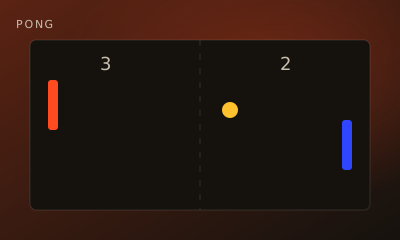
Realtime paddle duel. Bounce the ball past your opponent’s paddle — first to 7 points wins.
01 // CONTROLS
Controls
- Move your paddle with on-screen controls or keyboard
- Keep the ball in play on your side
02 // STEPS
Step by step
- 01
Enter the arena
Create a Pong room, share the code, and both players ready up.
- 02
Control your paddle
Use the keyboard or on-screen controls to slide your paddle up and down.
- 03
Return the ball
Hit the ball before it passes your paddle. Angle your returns by contacting different parts of the paddle.
- 04
Score points
When the ball gets past your opponent, you score. First to 7 wins.
03 // EDGE
Pro tips
- Stay near the center when the ball is far away.
- Anticipate the bounce — don’t chase after it late.
04 // FAQ
Pong FAQ
Is Pong free to play in the browser?
Yes. Pong on My MP Games is free HTML5 — no download, no account, and no paywall.
Can I play Pong vs the computer?
Open the play page and choose Play vs Computer. You can also play Local vs on one device or share a room code with a friend.
Where are the Pong rules?
Realtime paddle duel. Bounce the ball past your opponent’s paddle — first to 7 points wins.
Ready?Play Pong free — vs Computer or challenge a friend.