
FIELD MANUAL
How to Play Odds & Evens Online
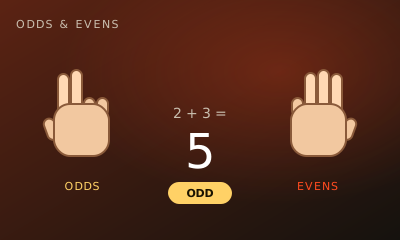
Odds & Evens is the playground hand game: one player is Odds, the other is Evens, and you both throw 1 to 5 fingers at the same moment. An odd total scores for Odds, an even total for Evens.
01 // CONTROLS
Controls
- Tap a hand showing 1 to 5 fingers
- Keys 1–5 on a keyboard
02 // STEPS
Step by step
- 01
Open the game
From the arena roster, open this game’s play page.
- 02
Create or join a room
Host creates a room and shares the code. The second player joins with that code.
- 03
Both hit Ready
When two players lock in, the match starts instantly — no accounts needed.
- 04
Check your role
The badge under your name says Odds or Evens. Roles swap every round, so both players get the same chances.
- 05
Throw
Pick how many fingers to show, 1 to 5. Your throw stays hidden until your opponent has thrown too.
- 06
Reveal
Both hands appear and the fingers are added up. An odd total gives Odds the round; an even total gives Evens the round.
- 07
Win the match
First to 5 rounds wins. Press New game for a rematch.
03 // EDGE
Pro tips
- Every throw is a true 50/50, so the only edge is reading habits. Mix odd and even throws.
- People tend to switch after repeating the same throw twice; the hard computer watches for exactly that.
- In Local mode, the player who is not throwing should look away.
04 // FAQ
Odds & Evens FAQ
Is Odds & Evens free to play in the browser?
Yes. Odds & Evens on My MP Games is free HTML5 — no download, no account, and no paywall.
Can I play Odds & Evens vs the computer?
Open the play page and choose Play vs Computer. You can also play Local vs on one device or share a room code with a friend.
Where are the Odds & Evens rules?
Odds & Evens is the playground hand game: one player is Odds, the other is Evens, and you both throw 1 to 5 fingers at the same moment. An odd total scores for Odds, an even total for Evens.